Case study
Winbond Keyboard Colour: reconstructing keyboard lighting commands
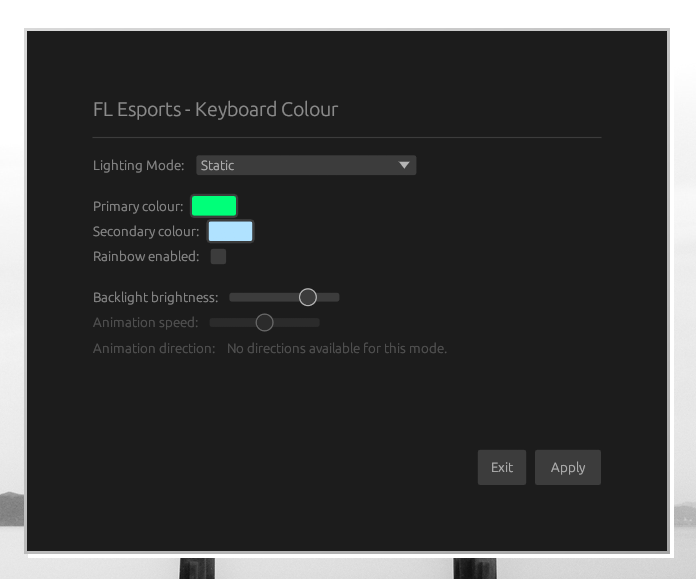
Winbond Keyboard Colour implements lighting control for Winbond-based keyboards on Linux using USB command bytes mapped from the original Windows software. Its graphical interface lets users select and apply lighting effects.
- Targets
- Protocol
- Category
- Independent reconstruction cases
- Relationship
- Independent reconstruction project
- Sources reviewed
- Evidence class
- C1 partial scope or analysis entry
- Stars
- 2
- Last commit
- 2025-02-08
- Language
- Rust
- License (GitHub)
- MIT
GitHub data as of 2026-11-10
Evidence
- Observed
- Download and demo observed; the case covers part of the target software.
- Scope
- Partial
- Checked
- 2026-11-08
Requirements & limits
- Prerequisites: Linux and a compatible Winbond-based keyboard.
- Prerequisites: Rust toolchain to build from source with Cargo.
- License: MIT License.
Cite
BibTeX
@misc{winbond-keyboard-colour-case,
  title = {{Winbond Keyboard Colour: reconstructing keyboard lighting commands}},
  howpublished = {\url{https://github.com/Mqlvin/keyboard-colour}},
  url = {https://github.com/Mqlvin/keyboard-colour},
  urldate = {2026-11-06},
  note = {Awesome REA entry: \url{https://awesomerea.org/resources/winbond-keyboard-colour-case/}}
}
Plain text
Winbond Keyboard Colour: reconstructing keyboard lighting commands. https://github.com/Mqlvin/keyboard-colour (accessed 2026-11-06). Awesome REA entry: https://awesomerea.org/resources/winbond-keyboard-colour-case/
Useful? Star Awesome REA on GitHub2.4k
About this entry
The description was reviewed against primary sources.
Primary sources
- README.md GitHub · Mqlvin/keyboard-colour · Revision c44c7d3
- Cargo.toml GitHub · Mqlvin/keyboard-colour · Revision c44c7d3
More in Protocols
- OBOX Controller ViGEm Driver: a Windows client for the Snail OBox gamepad · Case study
- OsmoFresh Quella Pro: hardware and UART protocol investigation · Case study
- Colorful 2F4C:1018: reconstructing a motherboard ARGB HID interface · Case study
- Deli XiangYinBao X1: reconstructing a Bluetooth label printer protocol · Case study
- KardiaMobile 6L Unlocked: a direct BLE ECG client · Case study
- Elan 04f3:0903: reconstructing a fingerprint sensor's Linux interface · Case study